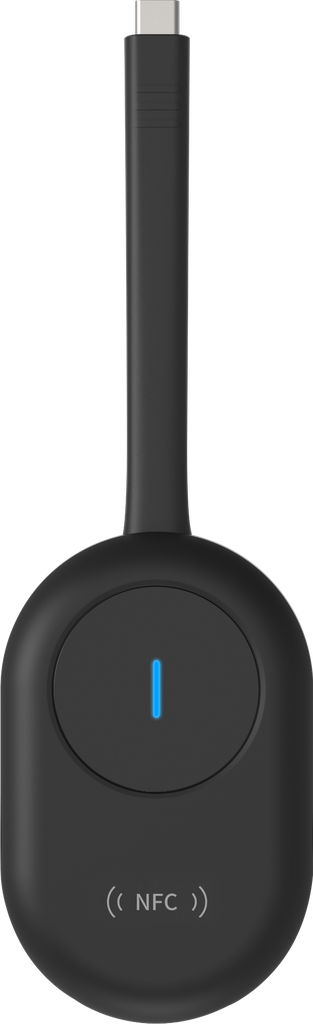
Wireless Dongle
توصيل مباشر Plug & Play عبر منفذ USB-C.
يدعم Windows وmacOS.
بث الشاشة بدقة تصل إلى 4K.
يدعم Wi-Fi ثنائي النطاق 2.4GHz / 5GHz.
يدعم NFC لمشاركة الشاشة من هواتف Android المتوافقة بلمسة واحدة.
يدعم Reverse Control بحيث يمكنك التحكم بالكمبيوتر من خلال الشاشة التفاعلية.
يدعم شحن اللابتوب حتى 60W أثناء استخدامه (عند توفر مصدر طاقة مناسب).
- Product Name: Wireless Dongle
- Category: All / شاشات
- Resolution Support: Up to 4K
- Compatibility: Windows and macOS
- Features: Dual-band Wi-Fi, NFC support, Reverse Control
- Internal Reference: DS-D5SC3B-B
- May be suitable for users looking to connect their laptops to external displays wirelessly.
- Can be used for streaming high-definition content from computers to screens.
- May benefit users who require touch interaction with their computers through a display.
What is the Wireless Dongle?
The Wireless Dongle is a USB-C device that enables wireless screen connectivity and streaming.
What resolution does the Wireless Dongle support?
It supports screen streaming in up to 4K resolution.
Which operating systems are compatible with the Wireless Dongle?
The dongle is compatible with Windows and macOS.
What is Reverse Control in the Wireless Dongle?
Reverse Control allows users to control their computer through a touchscreen display connected via the dongle.
Can the Wireless Dongle share screens from Android devices?
Yes, it supports NFC for one-touch screen sharing from compatible Android devices.
The Wireless Dongle is a USB-C device designed for screen connectivity. It supports direct Plug & Play functionality, enabling users to stream content in up to 4K resolution. This dongle is compatible with Windows and macOS, features dual-band Wi-Fi, and allows NFC screen sharing from compatible Android devices. It also supports Reverse Control, enabling interaction with a computer through a touchscreen display.
The Wireless Dongle is a USB-C device for screen connectivity, suitable for users needing high-resolution streaming and compatibility with Windows and macOS systems.

To install this Web App in your iPhone/iPad press
 and then Add to Home Screen.
